はじめに
Azure と他社クラウドサービスを閉域で接続できる Azure Multicloud Interconnect がパブリックプレビューになりました。
- What is Azure Multicloud Interconnect Preview? | Microsoft Learn
- Introducing Azure Multicloud Interconnect for AWS | Microsoft Azure Blog
- Simpler, private connectivity between Azure and AWS with Azure Multicloud Interconnect | Microsoft Community Hub
百聞は一見に如かずということで、現時点でサポートされている AWS と繋いでみました。
Multicloud Interconnect の作成
リソースの定義を正しく理解するために Bicep で作成します。リソースのタイプは Microsoft.Network/expressRouteCircuits ですが、sku が MultiCloud になっています。あとは、AWS のアカウント ID を入力する必要があります。
resource circuit1 'Microsoft.Network/expressRouteCircuits@2024-07-01' = {
  name: 'multi'
  location: 'westus2'
  sku: {
    name: 'MultiCloud_MeteredData'
    tier: 'MultiCloud'
    family: 'MeteredData'
  }
  properties: {
    serviceProviderProperties: {
      serviceProviderName: 'AWS'
      peeringLocation: 'useast'
      bandwidthInMbps: 1000
    }
    partnerAccountId: '<AWS_ACCOUNT_ID>'
  }
}
アクティベーション
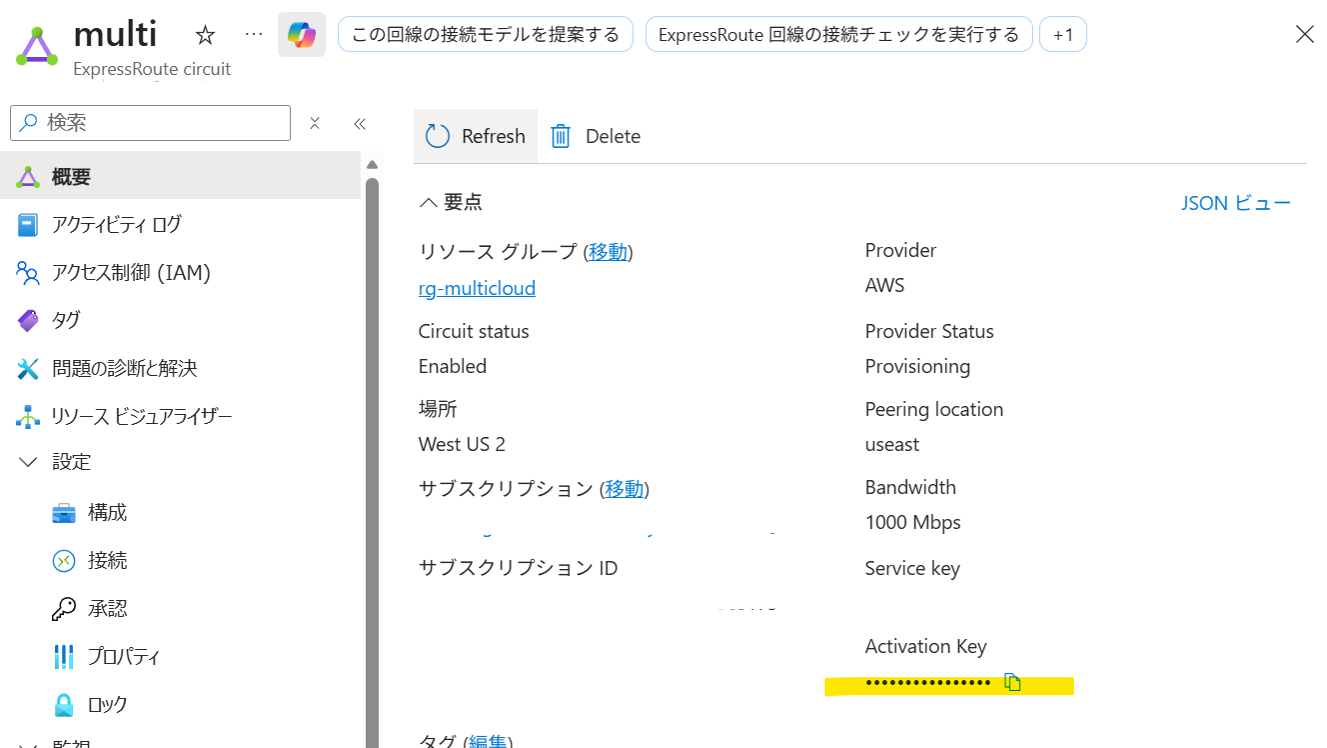
無事にデプロイが完了すると、Multicloud Interconnect のリソース上でアクティベーションキーを入手できます。これをコピーしたうえで、AWS マネジメントコンソール側にも Multicloud Interconnect を作ります
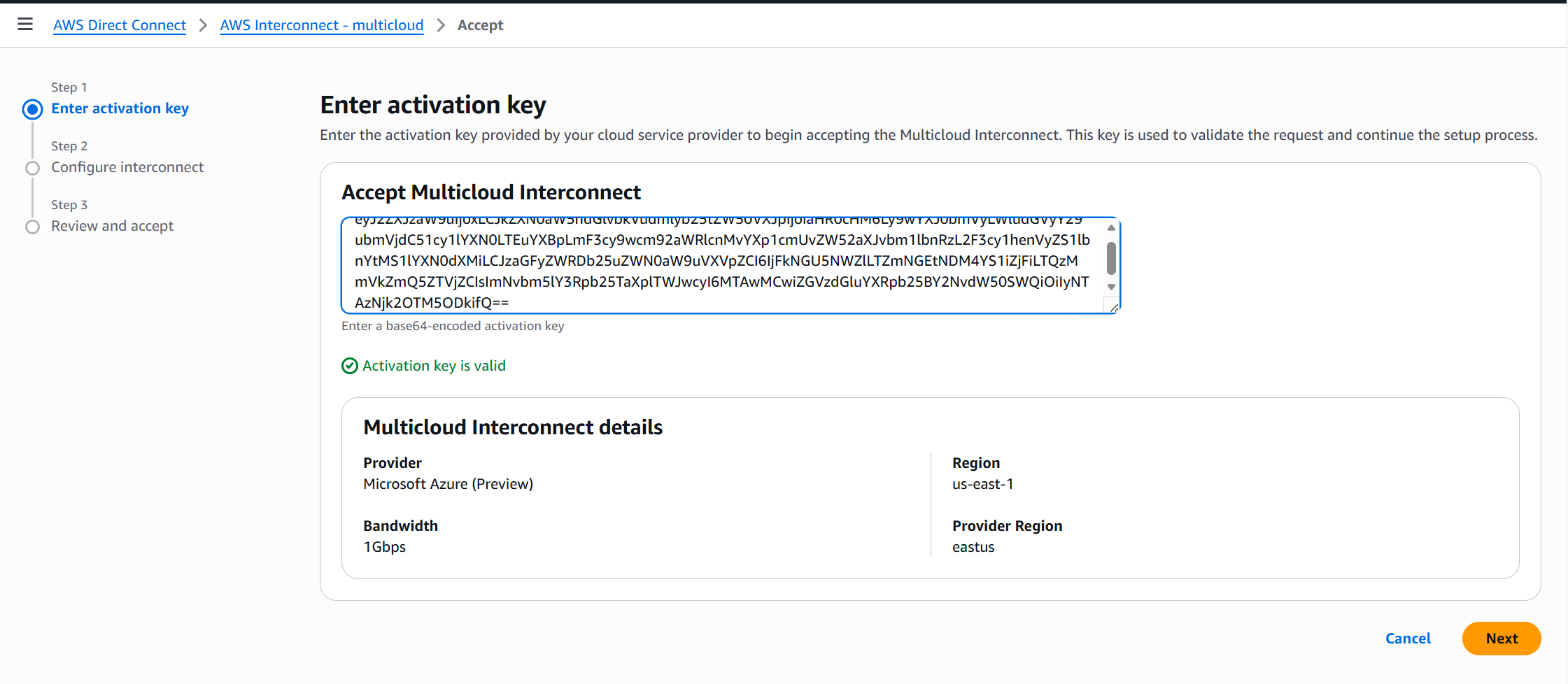
無事にアクティベーションが完了すると、AWS 側に AWS Interconnect が作成されます。
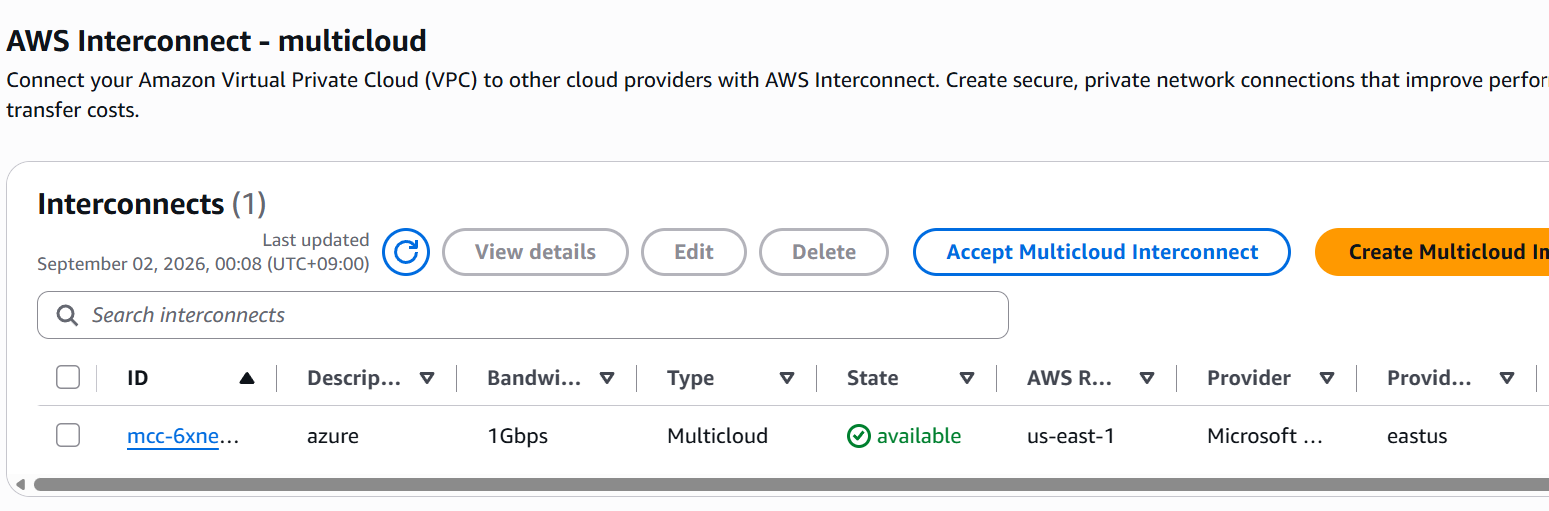
今回は AWS Interconnect を DirectConnect Gateway に接続したうえで、VPC(192.168.0.0/16)と接続します。
Connection の作成
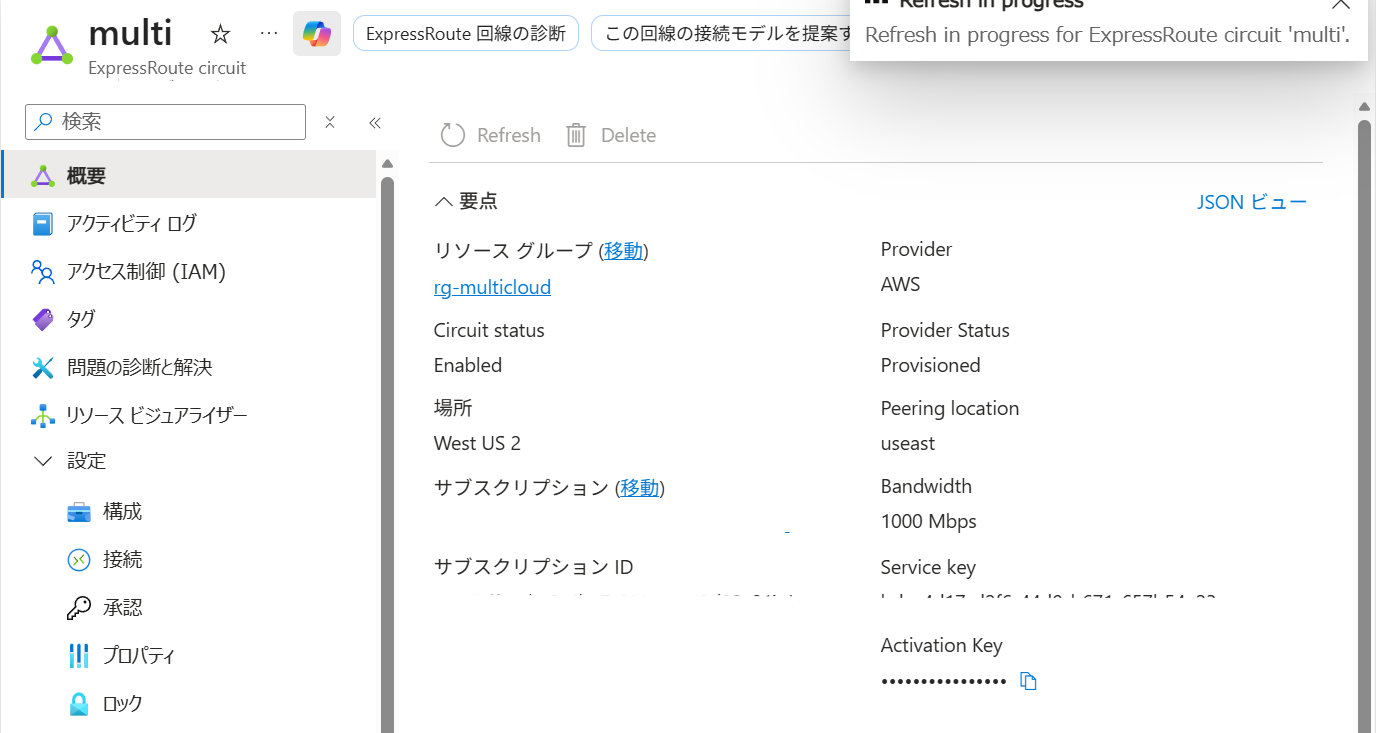
AWS Interconnect のプロビジョニングが完了して少し経つと、Azure Multicloud Interconnect が Provisioned に変わります。そうしたら Connection を作ります。
何も考えずに、Multicloud interconnect を eastus、ExpressRoute Gateway を JapanEast に作って接続を作ろうとしたところ、エラーで怒られました。どうも Multicloud interconnect は Local SKU 扱いのようです。East US の ExpressRoute Gateway であれば、問題なく接続を作れました。
StatusCode: 200
ReasonPhrase:
Status: Failed
ErrorCode: InvalidParameter
ErrorMessage: The creation of the virtual network gateway connection failed because your circuit in useast cannot be connected to Japan East on a Local circuit. A Local ExpressRoute circuit can only connect to a designated Azure region. Please upgrade the circuit to Standard SKU or Premium SKU. Please refer to https://docs.microsoft.com/en-us/azure/expressroute/expressroute-locations-providers .
動作確認
設定は以上です。これだけで AWS と Azure が閉域で接続されます。楽。
Azure 側のルート伝搬
VPC の経路が聞こえているかを、Azure 側で確認します。
$resourceGroupName = 'rg-multicloud'
$gatewayName = 'ergw'

Get-AzVirtualNetworkGatewayLearnedRoute `
    -ResourceGroupName $resourceGroupName `
    -VirtualNetworkGatewayName $gatewayName `
    | Format-Table -AutoSize
実行結果は次のようになりました。
LocalAddress Network         NextHop  SourcePeer Origin AsPath       Weight
------------ -------         -------  ---------- ------ ------       ------
10.7.1.13    10.7.0.0/16              10.7.1.13  Network              32768
10.7.1.13    192.168.0.0/16  10.7.1.4 10.7.1.4   EBgp   12076-64512 32769
10.7.1.13    192.168.0.0/16  10.7.1.7 10.7.1.7   EBgp   12076-64512 32769
10.7.1.13    192.168.0.0/16  10.7.1.6 10.7.1.6   EBgp   12076-64512 32769
10.7.1.13    192.168.0.0/16  10.7.1.5 10.7.1.5   EBgp   12076-64512 32769
AWS 側の 192.168.0.0/16 が EBgp 由来として学習され、AS Path は 12076-64512 になっています。12076 は Microsoft、64512 は今回の AWS 側 ASN です。
同じプレフィックスに対して 4 つの Next Hop が確認できたことから、Multicloud Interconnect の冗長な BGP パスを通じて経路が広告されていることも分かります。
AWS 側のルート伝搬
AWS 側では、Virtual Private Gateway を条件にルートテーブルを取得しました。
aws ec2 describe-route-tables \
  --filters "Name=route.gateway-id,Values=<VGW_ID>"
実行結果は以下の通りです。
~ $
~ $ aws ec2 describe-route-tables \
>   --filters "Name=route.gateway-id,Values=vgw-0794806e1b483aab4"
{
    "RouteTables": [
        {
            "Associations": [
            ],
            "PropagatingVgws": [
            ],
            "RouteTableId": "rtb-0fda07fde78c1764e",
            "Routes": [
                {
                    "DestinationCidrBlock": "192.168.0.0/16",
                    "GatewayId": "local",
                    "Origin": "CreateRouteTable",
                    "State": "active"
                },
                {
                    "DestinationCidrBlock": "10.7.0.0/16",
                    "GatewayId": "vgw-0794806e1b483aab4",
                    "Origin": "EnableVgwRoutePropagation",
                    "State": "active"
                }
            ],
            "Tags": [],
            "VpcId": "vpc-088f0dc13e1a7ab2b",
            "OwnerId": "250369693989"
        }
    ]
}
Azure VNet の 10.7.0.0/16 が VGW から動的に伝播され、active になっています。よさげ。
まとめ
パブリックプレビューになった Azure Multicloud Interconnect を使い、Azure と AWS を閉域で接続してみました。実際に試してみると、両クラウドで必要なリソースを作成し、アクティベーションと接続を済ませるだけで経路が相互に伝播されました。キャリア網内折り返しや、クラウドエクスチェンジ折り返しのようなこれまでのクラウド間接続と比べると、驚くほど素直です。
クラウドには、利用者やシステムを「自分のクラウドへ連れてきたい」という強い引力があるものだと思っていました。ところが Multicloud Interconnect から受ける印象は、むしろ「相手のクラウドも使っていい。そのうえで、こちらとは簡単かつ安全につなげよう」というものです。囲い込むだけではなく、他社クラウドの利用を前提にしたサービスが Azure と AWS の双方から提供されるようになったのだなとしみじみ。
- 当サイトは個人のブログです。このブログに示されている見解や意見は個人的なものであり、所属組織の見解や意見を表明するものではありません。
- 公開情報を踏まえて正確な情報を掲載するよう努めますが、その内容の完全性や正確性、有用性、安全性、最新性について一切保証しません。
- 添付文章やリンク先などを含む本サイトの内容は作成時点でのものであり、予告なく変更される場合があります。